


3D Live Wallpapers - 4K & 4D
SmoothX Studio
My first impression of 3D Live Wallpapers - 4K & 4D was that it is aimed at a very specific kind of phone owner: someone who wants the screen to feel more alive every time they unlock it. I tested it as a personalization app rather than treating it like a simple wallpaper picker, and that distinction matters. A still image can make a phone look tidy, but an animated background changes the mood of the entire device.
The app comes from SmoothX Studio and is free to install, with optional purchases ranging from $1.49 to $19.99 per item. It is listed for Everyone, works on Android 8.0 and later, and its current version is 1.5.0. Those details make it approachable for a wide range of Android users, although the visual ambition of 3D and 4D backgrounds naturally makes the experience more dependent on the phone’s screen, processor, battery habits, and personal tolerance for motion.
From a plain home screen to a moving setup
The starting condition is familiar: you have a phone that works perfectly well, but the home screen feels interchangeable. Maybe you have used the same photograph for months, or perhaps the default wallpaper makes the device feel unfinished. In that situation, the appeal here is immediate. The app focuses on animated backgrounds in HD and 4K, with depth-oriented effects intended to give the display more presence than a conventional picture.
I like this approach for people who see personalization as part of using the phone, not merely decorating it once. A moving background can make a new device feel more personal without changing icons, launchers, or system settings. It is also useful when I want a visual theme that matches a particular mood: energetic during the day, atmospheric in the evening, or simply more dramatic than a flat image.
Still, I would not recommend installing it automatically just because the phrase “4K” sounds impressive. A high-resolution animated wallpaper is most noticeable on a sharp, bright display viewed up close. On a smaller or older screen, the difference from a good static image may be much less important than the movement itself. The real question is whether you value animation enough to accept the extra visual activity.
Latest News

Uber Eats Under Pressure: What Happens When Delivery Goes Wrong

How QR & Barcode Scanner Adapts to Android and iOS Innovations

Why Waze Navigation & Live Traffic Is Your Essential Travel Companion

CapCut Mastery: Unleash Hidden Features for Pro-Level Editing

How OS Updates Enhance Roblox Adventures

Teacher Simulator: Exam Time Turns Quick Classroom Judgments into a Repetitive Loop
The app has attracted a 4.7 average from around 77 thousand ratings and has passed 10 million installs. That level of adoption suggests it has found a broad audience, but popularity does not remove the practical trade-off: an animated home screen is more demanding than a still one, and some users will prefer the calmer, more predictable alternative.
Choosing a background without losing the purpose
The first useful decision is not “Which image looks best?” but “What should this wallpaper do for me?” If the phone is mostly a quick tool for messages, calls, maps, and work, a restrained animated scene may be easier to live with than a visually busy one. If the phone is also a personal object that you enjoy looking at, stronger depth and motion may be exactly the point.
I found it helpful to judge a wallpaper in two places: the home screen and the lock screen. A design that looks impressive when viewed alone can become distracting once icons, widgets, notifications, and app labels sit over it. Darker or less cluttered scenes generally give those elements more room to remain readable. Bright animated details can be attractive, but they may compete with the information I actually need to find.
Gallery
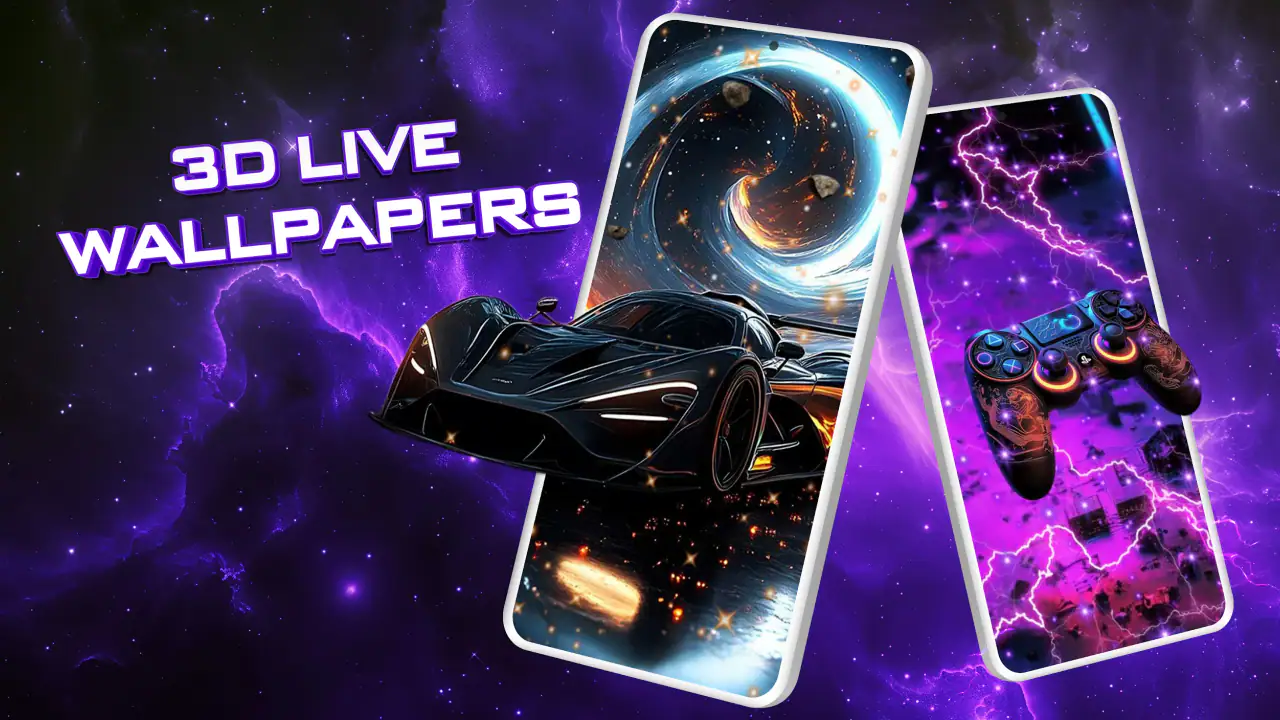
This is one of the less obvious strengths of the app’s concept. The wallpaper is not just a picture behind the interface; it becomes part of the interface. That means the best choice is often not the most spectacular preview. It is the one that still looks good after the phone is covered with real shortcuts, status information, and changing notifications.
The practical setup flow
My usual workflow with an app like this is simple: open the catalog, preview a few styles, select one that fits the phone’s layout, and apply it through the wallpaper process. The important handoff happens when the app stops being the place where I browse and the operating system takes over as the place where the wallpaper is confirmed. That transition is normal, but it is also where users can feel uncertain if they expect the app to control every part of the final result.
I recommend taking a moment before applying anything to check how the preview behaves with your own icons and widgets. A wallpaper that fills the display beautifully in isolation may place its most active area directly beneath a clock or a row of shortcuts. If the app offers multiple visual treatments, I would compare them by how clearly the home screen remains usable, not just by how detailed the animation appears.
The handoff also depends on the phone’s own software. Android manufacturers can present wallpaper confirmation screens differently, and some launchers handle live backgrounds with their own behavior. That is not a flaw unique to this app, but it is a reason to pay attention during setup rather than tapping through every screen automatically.
For a realistic everyday example, imagine leaving home in the morning with a nearly empty battery and a busy schedule. I would choose a darker, calmer background before starting the day, because it keeps the screen easy to read and avoids turning every unlock into a burst of motion. Later, when charging at home, I might switch to a more expressive scene simply because the visual effect is more enjoyable when battery pressure is less important.
How the wallpaper fits into daily use
Once applied, the result is less about opening 3D Live Wallpapers - 4K & 4D repeatedly and more about living with the choice it helped create. That is a useful distinction. The app’s value is visible during the small moments between tasks: checking the time, unlocking to read a notification, or returning to the home screen after closing an app.
I noticed that motion changes how quickly I judge a wallpaper. A static image can be evaluated in one glance, while an animated background needs a few unlocks to reveal whether the movement remains pleasant. The first impression may be exciting, but the long-term test is whether it becomes visual noise. I would give a selected background enough normal use to see how it feels during busy periods before deciding that it is a keeper.
Another practical consideration is icon contrast. If the animated scene contains bright areas that move behind the same shortcut row, readability may vary from moment to moment. This is where a more modest design can outperform a technically richer one. The most useful wallpaper is the one that makes the phone feel personal while allowing me to find apps instantly.
People who use widgets heavily should be especially selective. A weather widget, calendar, music control, or large clock already adds information to the home screen. Adding an active background underneath can either create a pleasing layered look or make the whole layout feel crowded. I would treat the wallpaper as one visual layer in the composition, not as an effect that has to dominate everything else.
What happens when the app hands control to the phone
The final appearance is shaped by more than the app itself. The device display, launcher, Android version, and manufacturer’s wallpaper handling all influence the outcome. This matters when someone expects the preview to look identical after applying it. A preview is designed to show the artwork clearly; the home screen is a working surface with icons and system elements competing for attention.
That handoff can also affect how the wallpaper behaves when moving between screens. Some phones make the animation feel smooth and integrated, while others may present it more conservatively. I would not judge the app solely from a short preview. The real result is the combination of the chosen background and the phone that displays it.
There is a second handoff in the user’s routine: the wallpaper must coexist with battery management. Android may limit background activity, optimize power, or behave differently when the device is in a low-power state. I would avoid assuming that every animation will look exactly the same in every situation. If battery life is a priority, the sensible workflow is to use the app selectively and observe how the phone behaves over an ordinary day rather than relying on the visual promise alone.
This is also where the free model deserves a careful look. The app can be installed without an upfront charge, while individual purchases sit between $1.49 and $19.99. I would browse the free experience first and decide whether the included selection already satisfies the reason I installed it. Optional spending makes sense when a particular style is genuinely useful to me, but I would not pay simply because a preview looks impressive for a few seconds.
Where the experience is strongest
The clearest strength is immediacy. I do not need to redesign the entire phone to get a noticeable change. A single applied background can make the device feel different within minutes. That makes the app a good fit for someone who wants visible personalization without learning a new launcher or rebuilding an icon layout.
It is also a good match for phones with displays that can show fine detail and deep contrast. On such devices, the combination of resolution, movement, and depth can make the home screen feel more dimensional. The effect is particularly enjoyable when I unlock the phone often, because the wallpaper becomes part of a repeated daily ritual rather than something I see once and forget.
The broad age rating is another practical advantage. Families and casual users can approach it without the app being positioned as a specialist tool. At the same time, the visual style is not necessarily universal. Someone who prefers a minimalist, distraction-free screen may find the same feature that attracts other users—constant motion—unnecessary.
Compared with the usual alternatives, this app sits between a standard static wallpaper collection and a full customization suite. Static wallpaper apps are usually easier on attention and potentially easier on battery, but they cannot provide the same sense of depth. Full launchers and icon packs can transform more of the phone, yet they require more setup and can introduce compatibility decisions. Here, the exchange is straightforward: less control over the entire interface, but a faster visual payoff focused on the background.
Where the workflow breaks down
The main weakness is that visual quality and daily comfort are not always the same thing. A wallpaper can be technically detailed and still feel tiring after repeated unlocking. If I am reading, working, or trying to find an app quickly, motion behind the interface may become a distraction instead of a benefit.
Battery sensitivity is another reason to be cautious. I would not claim that every user will see the same impact, because phone hardware and usage patterns vary. However, anyone already managing a weak battery should treat live wallpaper as an optional luxury. A static alternative is the better choice when reliability matters more than atmosphere, especially during travel or long days away from a charger.
There can also be friction at the operating-system level. If the applied wallpaper looks different from the preview, does not animate as expected, or behaves differently after a launcher change, the problem may be in the relationship between the app and the phone’s software rather than in the artwork itself. That does not make the experience unusable, but it does mean I would keep expectations realistic across different Android devices.
Users looking for deep customization should probably skip this app as their main solution. It does not replace a launcher when the goal is to reorganize app grids, redesign gestures, or create a complete visual system. Likewise, people who want a single permanent photograph with no movement will likely be happier using the phone’s built-in wallpaper picker.
Who should install it and who should wait
I would recommend it to someone who wants a quick, noticeable refresh and enjoys animated design. It is especially appealing if the phone has a strong display, the home screen is not overloaded with widgets, and the user is willing to spend a little time choosing a background that supports readability rather than merely showing off.
I would be more selective for older devices, battery-conscious users, and anyone sensitive to motion. In those cases, the best approach is to try the free option, apply a restrained background, and judge the phone during normal use. If the screen feels busier or the battery routine becomes less comfortable, switching back to a still image is not a failure; it simply means the trade-off is not worthwhile for that person.
Before spending on an optional item, I would also ask whether the wallpaper solves a real preference. If I only want the phone to feel less boring, a free choice may be enough. If I have a clear visual theme in mind and expect to keep it for a long time, a purchase can be easier to justify. The important point is to choose based on lasting use, not on the excitement of the first preview.
My final take after following the full workflow
3D Live Wallpapers - 4K & 4D succeeds because it turns a small part of the phone into something I notice repeatedly. SmoothX Studio has focused the experience on animated personalization instead of asking users to rebuild their entire interface, and that narrow purpose is its advantage. I can go from a plain home screen to a more expressive one without committing to a complicated customization project.
My recommendation is positive, with one condition: choose for everyday usability. Look at the wallpaper behind real icons, consider how motion fits your routine, and pay attention to battery priorities before buying anything. The best result is not the most dramatic background; it is the one that remains attractive after the novelty has faded.
For a free personalization app with a 4.7 average and more than 10 million installs, it is an easy option to explore, particularly for users who enjoy depth and animation. I would install it for a visual refresh, keep the design calm enough for practical use, and move back to a static wallpaper whenever the screen needs to disappear into the background.
FAQs for 3D Live Wallpapers - 4K & 4D
What are the main features of 3D Live Wallpapers - 4K & 4D?
3D Live Wallpapers - 4K & 4D offers a vast collection of high-quality wallpapers with dynamic 3D effects. The app provides both 4K and 4D options, allowing users to experience stunning visuals that move with their device's gyroscope. It also features categories for easy navigation and frequent updates.
Does the app impact battery life significantly?
While 3D Live Wallpapers - 4K & 4D uses advanced graphics, it is optimized to minimize battery usage. However, live wallpapers generally consume more battery than static ones because of their continuous motion and higher resource demand. Users can adjust settings to balance between visual effects and battery conservation.
Is 3D Live Wallpapers - 4K & 4D free to use?
The app offers a free version with a selection of wallpapers and basic features. However, to access premium wallpapers or additional functionalities, users may need to make in-app purchases or subscribe to a premium plan. This monetization helps support the developers and maintain updates.
Can I customize the wallpapers in the app?
Yes, 3D Live Wallpapers - 4K & 4D allows some level of customization. Users can adjust effects like motion speed and intensity to suit their preferences. This customization ensures that the wallpapers not only look great but also align with each user's taste and device performance.
Is the app compatible with all devices?
3D Live Wallpapers - 4K & 4D is compatible with most modern Android and iOS devices. However, due to the advanced graphics, it may not perform optimally on older or lower-spec devices. It's always a good idea to check the app's requirements and ensure your device is compatible for the best experience.
Pros
- Vibrant 3D visuals enhance screen appeal.
- Wide variety of categories to choose from.
- Customizable settings for personal touch.
- Battery usage optimized for longer life.
- Smooth performance with minimal lag.
Cons
- May consume more data for downloads.
- Limited free options available.
- Ads can be intrusive at times.
- Requires newer devices for best effect.
- Some wallpapers need premium access.


